Create Custom Packaging with a Shopping Bag Canva Template
There is a specific kind of satisfaction that comes from handing a customer a bag that feels truly yours. It’s more than just a vessel for a product; it’s a tangible piece of your brand story, a final touchpoint that can turn a simple purchase into a memorable experience. For many small businesses, boutiques, and event planners, achieving that level of custom, premium packaging often feels out of reach, tangled in complex design software or expensive custom orders. But what if you could design your own shopping bags with the same tools you use to create social media posts?
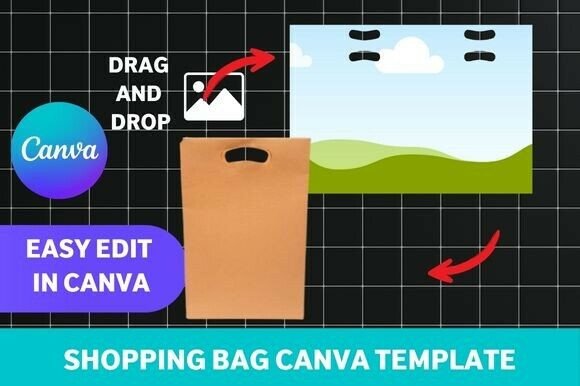
Enter the editable shopping bag Canva template. This isn't just a static image; it's a foundational design asset, a starting point that puts the power of professional packaging design directly into your hands. Think of it as a well-structured canvas, pre-set with the correct dimensions, fold lines, and handle placements, but with every visual element—colors, patterns, text, and logo placement—ready for you to make your own. The appeal lies in its blend of professional structure and accessible customization, allowing you to create packaging that aligns perfectly with your brand identity without needing a degree in graphic design.
The Anatomy of an Effective Bag Template
A well-designed shopping bag template is more than just a pretty pattern. Its strength lies in its thoughtful construction. Visually, these templates often feature clean, modern typography and balanced layouts that serve as a neutral yet stylish foundation. The personality can range from minimalist and chic, using ample white space and a sophisticated serif font for a boutique's name, to vibrant and playful, incorporating bold sans serif headings and colorful graphics for a children's brand or a festive event.
The real magic is in its adaptability. A single template can be transformed to suit a high-end jewelry store by simply swapping the color palette to deep neutrals and using an elegant script font for the logo. The same template can become earthy and organic for a skincare line by introducing a kraft paper texture background and a handwritten font. This flexibility is its core strength, making it a versatile piece of your overall design assets toolkit. It’s about providing a professional framework that ensures your final product—whether it’s a gift bag for a wedding or a retail bag for your shop—looks polished and intentional.
From Digital Design to Physical Reality
The journey from a Canva template to a finished bag is where the practical value truly shines. The process is designed to be straightforward: you customize the design in Canva, download a high-resolution, print-ready file, and then either print it yourself on a heavy cardstock or send it to a local or online print shop. The template includes guides for cutting, folding, and assembling, turning you into your own packaging manufacturer.
This approach is perfect for a variety of projects. Imagine designing seasonal gift bags for a holiday pop-up shop, creating cohesive packaging for a product launch, or making personalized bags for wedding favors. For small business owners, it’s a game-changer. You can maintain complete control over your brand's presentation, ensuring consistency from your website and social media graphics right down to the bag a customer carries out the door. This consistency is a cornerstone of building a strong brand identity and recognition.
Making the Template Work for Your Brand
Choosing and customizing a shopping bag Canva template requires a bit of strategic thinking, much like selecting a premium font for a logo design. First, consider the template's inherent style. Does its visual personality—be it modern, rustic, elegant, or whimsical—align with your brand's core message? A template with strong, geometric shapes might suit a tech startup, while one with floral illustrations would be at home for a florist.
Next, dive into the customization. This is where you apply the principles of modern typography. Your brand's logo should be the focal point, often placed prominently. Choose a color scheme that reflects your brand palette. Pay attention to the font pairing within the template; often, you'll find a combination of a bold display font for headings and a clean sans serif font for secondary information. Ensure the text is legible and has enough contrast against the background, especially when printed. Test your design by printing a single prototype before committing to a large batch. This allows you to check the color accuracy, paper weight, and overall feel in your hands.
Elevating Your Unboxing Experience
In today's market, the unboxing experience is a critical part of customer engagement. A thoughtfully designed shopping bag contributes significantly to this. It tells your customer that you care about the details, that you’ve invested thought into every aspect of their interaction with your brand. This level of care builds trust and professionalism, which can directly influence brand perception and loyalty.
Using a customizable template empowers you to create this experience consistently and affordably. It bridges the gap between generic, off-the-shelf packaging and prohibitively expensive custom orders. Whether you are a crafter selling at a local market, a boutique owner refreshing your look, or a marketer preparing for a corporate event, having a reliable, editable template in your toolkit means you can always present your brand in its best light. It’s a practical solution that turns the design process into a creative and rewarding part of your business operations.