Watercolor Splash Canva Frame Effect_C: Instant Artistry
Creating a cohesive, professional look for your brand or project often comes down to the small details that pull everything together. If you've ever struggled to frame your digital photos, quotes, or product mockups in a way that feels both organic and polished, the Watercolor Splash Canva Frame Effect_C offers a specific, artistic solution. It’s not a traditional font or a static image; it’s a set of three custom-made, editable Canva templates designed to add a fluid, hand-painted aesthetic to your work. The visual character is unmistakably expressive—think soft edges, translucent layers, and the beautiful imperfections of watercolor pigment meeting paper. This effect brings a sense of authenticity and creativity that sterile, digital borders simply cannot match.
Understanding the Aesthetic and Its Digital Nature
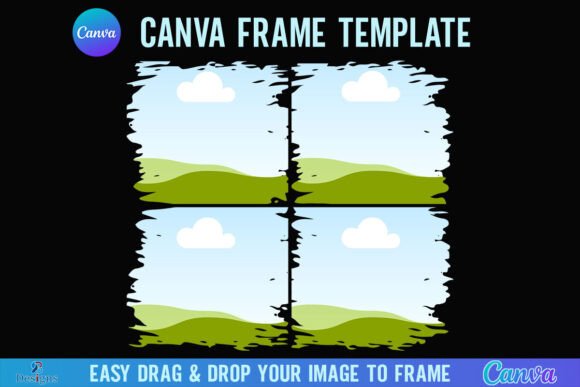
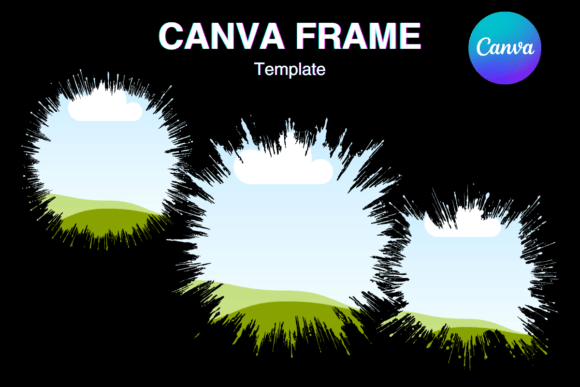
First, it's crucial to understand exactly what you're working with. This is a digital file—specifically, a PDF that provides a link to three distinct Canva templates. There is no physical product, no props, and no downloadable PNG or SVG file. The value lies in the editable nature of the templates within Canva. Each template is sized at a generous 12x12 inches (3600x3600 pixels), a standard dimension perfect for high-quality printing and detailed digital work. The "transparent layer" mentioned is a key feature; the watercolor splash acts as a frame with a clear center, allowing you to easily drag and drop your own photos, text, or graphics behind the artistic border. This makes it incredibly versatile for vinyl sublimation projects, custom signage, or social media content where you need your main subject to pop against an artistic background.
The personality of this effect is warm, artistic, and slightly bohemian. It avoids the rigid symmetry of a standard picture frame. Instead, it mimics the organic flow of real paint, with color bleeds and soft gradients that suggest a human touch. This style is perfect for brands or projects aiming to communicate creativity, approachability, and a handcrafted sensibility. It’s a far cry from the clean lines of a sans serif font or the structured elegance of a serif font; it’s purely about visual texture and atmosphere.
Practical Applications for Creators and Businesses
The real-world applications for the Watercolor Splash Canva Frame Effect_C are vast, particularly for those who need to produce visually engaging content quickly without advanced design software. For bloggers and content creators, it’s a game-changer for Pinterest graphics or Instagram posts. Imagine framing a quote about mindfulness or a recipe card within a soft, lavender watercolor border—it immediately sets a mood and increases visual hierarchy, making the content more shareable.
For small business owners and marketers, this asset can elevate packaging design mockups or product photography. A simple product shot placed within one of these frames transforms it into a styled scene, useful for website banners, Etsy listings, or email newsletter headers. Entrepreneurs in the wedding, stationery, or boutique goods space will find it particularly useful for creating a consistent brand identity that feels elegant yet personal. It acts as a unifying design asset that can be applied across different projects to maintain a recognizable aesthetic without relying solely on typography.
Even for personal use, such as creating custom family photo prints or party invitations, the effect provides a professional finish. The ability to size the template up or down means the same frame can work for a small social media icon or a large poster print. When considering font pairing for any text you overlay, the organic nature of the watercolor frame pairs beautifully with clean, modern typography. A simple sans serif font or a delicate script font would complement the frame without competing for attention, ensuring your message remains readable.
Integrating the Effect into Your Workflow
Using the Watercolor Splash Canva Frame Effect_C is straightforward, but a few practical tips will help you get the most out of it. Since it is an editable Canva template, your workflow is entirely within Canva’s free or pro platform. Once you access the templates via the provided link, you can customize them. While the core watercolor splash is the fixed artistic element, you have control over what you place inside the frame and the background color behind it. Experiment with layering; you could place a solid color fill behind your image to make the transparent watercolor edges really stand out.
When evaluating if this effect fits your project, consider the overall tone. It’s ideal for projects that benefit from an artistic, handmade feel. If your brand identity is ultra-modern, minimalist, or corporate, a watercolor splash might feel out of place. However, for brands that value storytelling, craftsmanship, or nature, it’s a perfect match. Always test it with your actual content—place a sample product photo or a piece of text inside the frame in Canva before committing. Does it enhance your message or distract from it? The goal is for the frame to support your content, not overshadow it.
Finally, remember the licensing. This is a commercial font and asset in the sense that you are purchasing a template for use in your projects. You can use the final designs you create with it for both personal and commercial purposes, such as selling printed items or using them in client work. However, you cannot resell or redistribute the Canva template link itself. This is standard for design assets and protects the creator’s work while giving you broad creative freedom.
In a digital landscape saturated with generic graphics, the Watercolor Splash Canva Frame Effect_C provides a simple way to inject personality and artistry into your visuals. It’s a practical tool for anyone looking to enhance their visual hierarchy, add a touch of elegance, and create memorable content that stands out in a feed or on a shelf.